This design exercise created in Figma proposes a dedicated UI for controlling playback speed in Nuke.
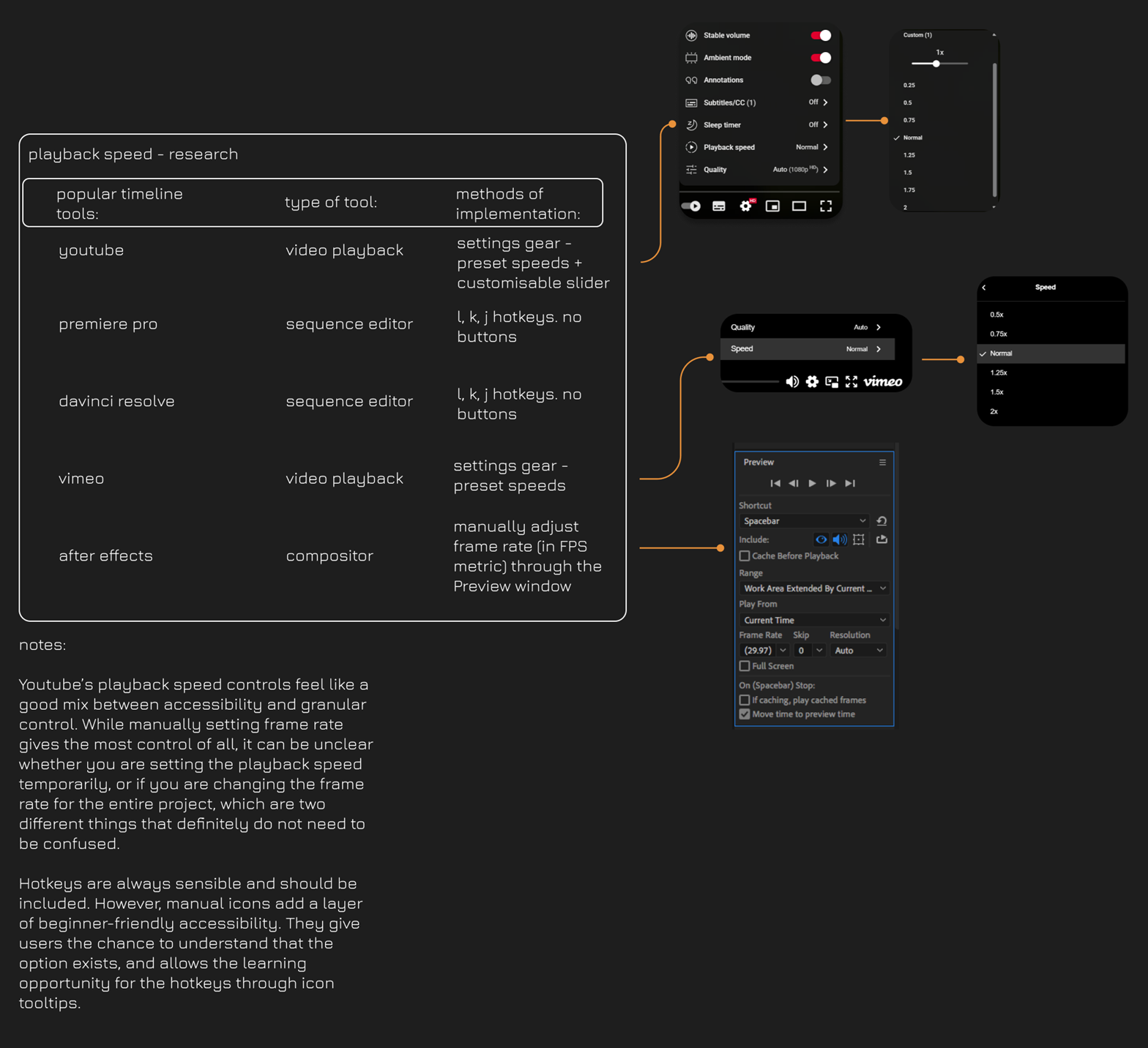
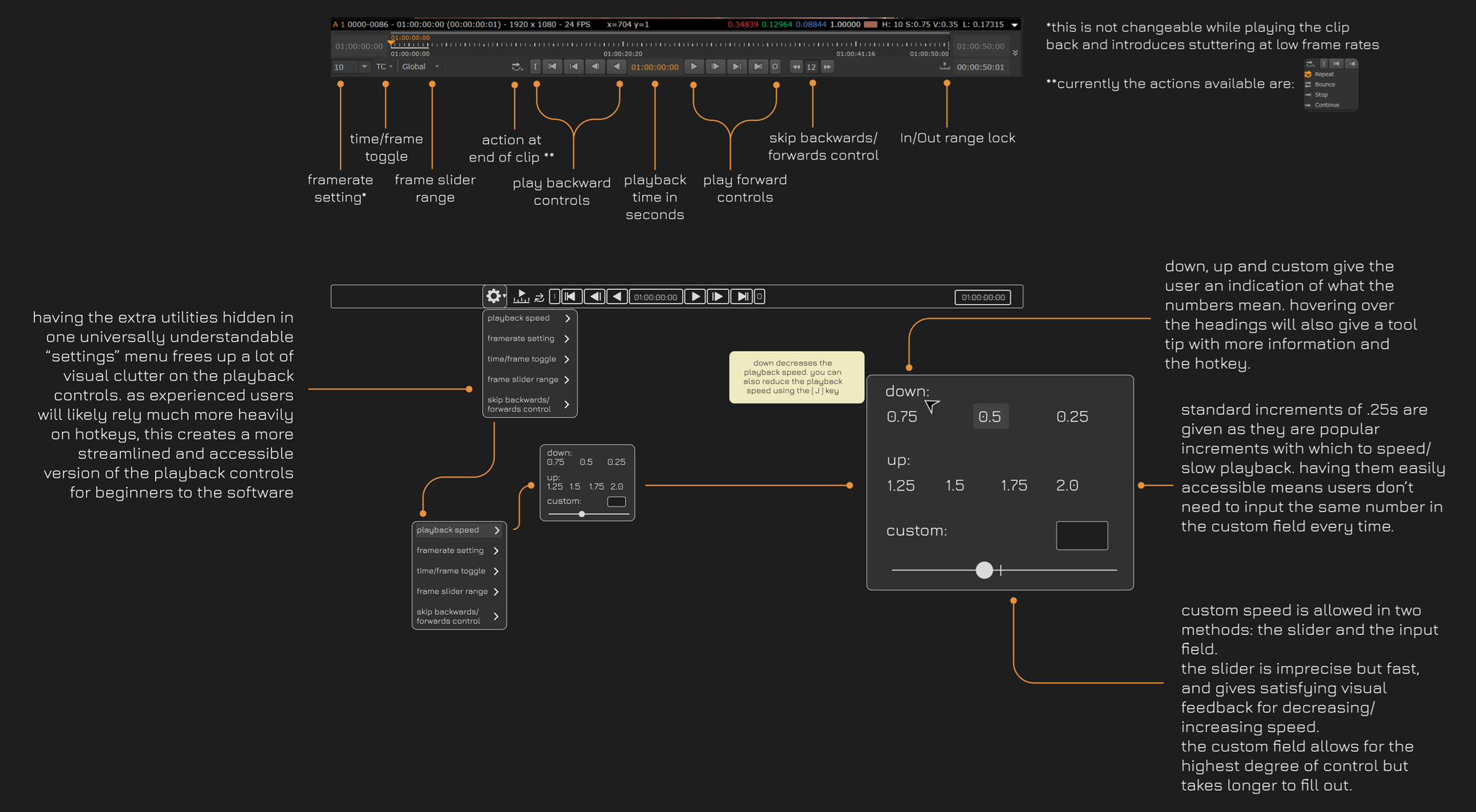
While it is possible to control the playback speed in Nuke Studio by using the L, K and J hotkeys, there is no dedicated UI for this functionality. Also, controlling the playback speed is not possible within Nuke itself.
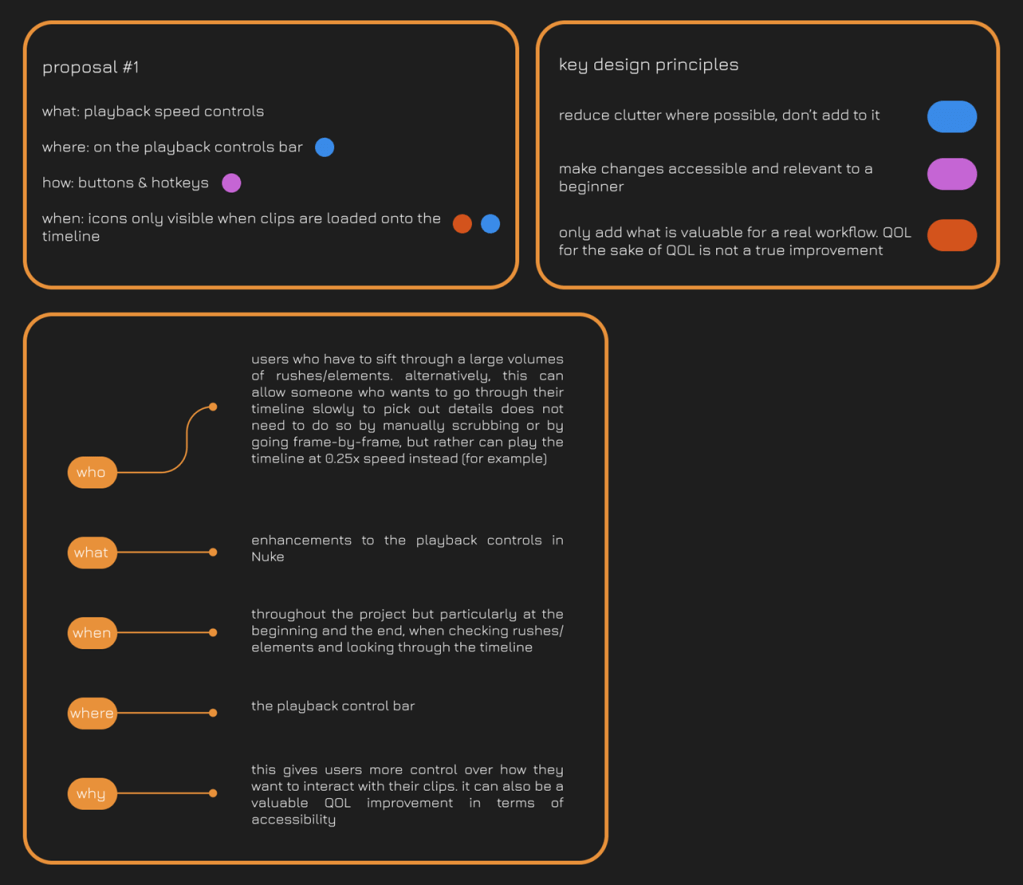
My design proposes that playback speed controls be added to the playback control bar as a dedicated UI menu. My proposal is guided by three design principles:
a) reduce clutter where possible, don’t add to it
b) make changes accessible and relevant to a beginner
c) only add what is valuable for a real workflow. QOL for the sake of QOL is not a true improvement
With these principles in mind, I created the following proposal which can be seen in the images below, or on the original Figma board linked here:
Nuke – Playback Speed UI Controls Proposal
 luca muscia design